
Data Pipelines Unplugged: How Integration Studio Rocks the Data World
20 min read
In the high-stakes arena of tech transformation, data integration once resembled a dysfunctional group chat — noisy, fragmented, and nobody really knew who was talking. Enter Domo’s Integration Studio, born in March 2021, which reimagines data pipelines not as an IT headache, but as a sleek, no-code conductor’s podium from which your data orchestra plays in harmony. Forget oil-and-water systems or enterprise-level duct tape — with Integration Studio, connecting systems now feels like streaming your favorite playlist: smooth, deliberate, and oddly addictive.
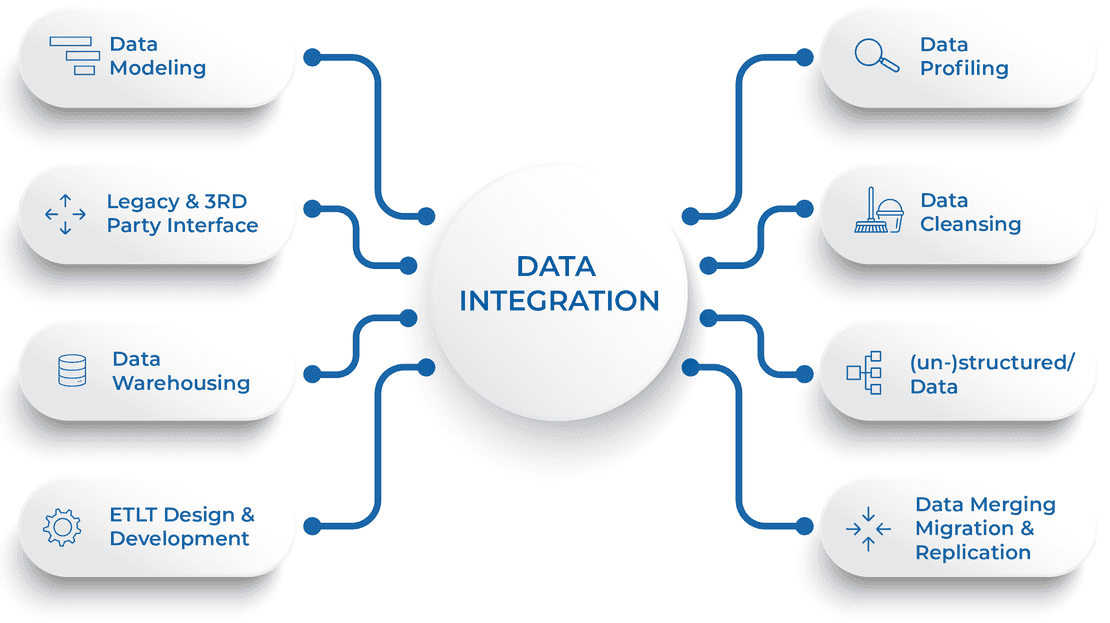
The Battle of Data Integration: Who Wears the Crown?
| Feature | Old Methods | Integration Studio |
|---|---|---|
| Compatibility | Limited to direct connections like peanut butter and jelly | Unlimited like a kid in a candy store |
| User Interface | Code-heavy as a Tolstoy novel | Drag-and-drop paradise |
| Time to Deploy | Weeks of dev cycles | Under an hour, even before your coffee gets cold |
| Error Management | Manual logging nightmares | Real-time alerts and resolutions |
| Scalability | Cluster-crashing brittle | Cloud-native elastic scaling |
The Rapid growth of Data Integration
Data integration has historically been the white whale of enterprise tech — elusive, mythical, and inevitable. Enterprises cobbled together SQL scripts, cron jobs, and third-party connectors, resulting in integration layers as incomprehensible as your uncle’s fossil collection. With siloed systems hoarding customer data like dragon caves, business insights remained tragically underutilized.
Domo’s Integration Studio disrupted that dysfunction. Launched in Q1 2021, it demystified the data pipeline, offering point-and-click connections, data wrangling automation, and robust writeback capabilities. It enabled marketing to talk to finance, ops to talk to logistics, and — dare we say — humans to talk to data like it’s a live participant in strategy meetings.
Mastering the Data Pipeline Lifestyle with Integration Studio
-
Step 1: Plug into the Interface
Launch Integration Studio and bask in its Netflix-like interface. Begin by dragging inputs (Salesforce, Google Sheets, or that rogue CSV . . . you know the one) into your flow canvas like a Sunday painter composing a masterpiece.
Pro Tip: Start small. Cleaning marketing contacts is emotionally safer than automating payroll reports. -
Step 2: Create Writeback Connections
Establish connections back to source systems like HubSpot, Snowflake, or Amazon Redshift. These aren’t just pipes — these are trust-powered tunnels ensuring feedback flows both ways, securely and on schedule.
-
Step 3: Automate and Orchestrate
Define trigger policies (e.g., hourly, on-refresh, or event-based) and prepare to feel like Tony Stark programming JARVIS for monthly CRMs alerts. Oh — and test first. Trust is built, not assumed.
What About Security & Governance?
Domo’s Integration Studio doesn’t just handshake with your data; it marries it — securely. With SSL encryption, get tokens, role-based governance, and audit trails, Integration Studio treats your data infrastructure like Fort Knox on a zero-trust diet. Plus, with SOC 2 certification, HIPAA compliance, and GDPR-aligned design, you can sleep without nightmares of rogue interns rerouting your API calls.
- Full-mesh encryption in motion and at rest
- Granular user roles for enterprise-grade access control
- Version history and rollback for data flows
“The true test of a data pipeline isn’t speed or flash, but how confidently governance can audit its every step.” — pointed out our automation specialist
Experts Weigh In: The Data Whisperers Speak
“Integration Studio is like having a universal remote for your data. You just point, click, and wonder happens.” — suggested our lead generation expert
“Legacy data systems are like rotary phones. Functional, sure. But try texting on one.” — mentioned the analyst in our department
Ravi Kishore
Kishore has spent two decades unwrapping data complexity and now mentors startups rethinking data infrastructure from the ground up. He believes inspiration scales fastest when embedded in system design, not just strategy decks.
Case Studies: From Chaos to Cohesion
Alchemer’s Quantum Leap
Formerly SurveyGizmo, Alchemer utilized effectively Integration Studio to unite Salesforce campaign responses with MySQL product data, launching a full-stack analytics suite across three continents. Their marketing ROI doubled within one quarter.
Reduced manual ETL errors by 30%
Retailer GigaTech: From Disarray to Real-Time Delight
GigaTech, a fast-growing electronics chain, mapped sales data from 67 physical locations to one global dashboard, syncing POS systems, inventory databases, and customer loyalty tools via Integration Studio without hiring additional dev staff.
They now track stock replenishment contra. campaign lift in seconds — not days.
The Automation Debate: Integration or Elimination?
The rise of AI-assisted automation in tools like Integration Studio rattles traditional IT gatekeepers. Critics argue that bypassing seasoned engineers could result in “pipeline anarchy.” Others argue that liberating analysts and ops teams frees up engineers for higher-worth innovations — like re-learning GoLang.
“Sure, data integration is efficient, but remember — Skynet started with a dashboard too.”
Funny, yes, but effective oversight, documentation, and API governance cannot be side quests in your automation strategy. Blend speed with control — not chaos dressed as convenience.
Forecasting: Where is Data Integration Headed?
Scenarios
- Composable Data Stack architectures where tools like Integration Studio are battery packs, not bottlenecks.
- Increased demand for no-code/low-code platforms in all Fortune 500s
- Smart pipelines that have ML-based anomaly detection before your dashboards scream red
- Integration tools becoming audit-level interfaces — real-time compliance, not just data movement
Strategic Recommendations: From DIY to ROI
Start Small, Scale Fast
Begin with one customer pipeline or revenue dashboard before attempting enterprise-wide reroutes. Quick wins build executive trust and user curiosity.
Invest in Internal Evangelists
Train internal data champions across departments. A marketing lead with ETL fluency opens up use cases IT never foresaw.
FAQs: Quick Hits for Hungry Minds
- What exactly is Integration Studio?
- It’s the data whisperer for modern businesses — harmonizing APIs, sheets, clouds, and databases like they’ve been lifelong friends.
- Is Integration Studio only for large enterprises?
- Nope — SMBs to Fortune 50s use it. The only requirement is frustration with bad data plumbing.
- What file types does it support?
- CSV, JSON, XML, proprietary vendor APIs, SQL-based exports — basically everything short of cave paintings.
- What are real-world outcomes?
- Enhanced data accuracy, real-time reporting, cut dev spend, and most importantly, peace in your biweekly leadership sync.
Categories: data integration, technology solutions, business strategy, automation tools, software development, Tags: data integration, Integration Studio, data pipelines, no-code tools, digital transformation, automation, cloud solutions, user interface, business insights, case studies


Comparing Integration Studio to legacy integration tools is like comparing a Tesla to a tricycle. Technically both transport data, but one does it sustainably at scale while the other makes your knees hurt. For mid-size organizations, it’s the difference between being data-driven contra. data-dragged.